Ultra Push Pull Tool
Enhanced extrusion for curved faces and complex surfaces.
How it Works
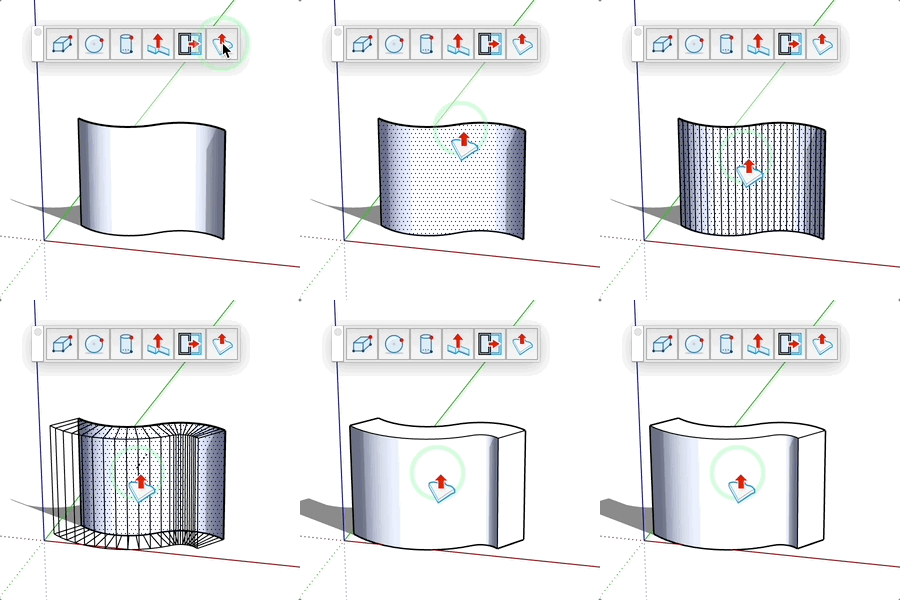
- Click on a curved or complex face
- Adjacent smoothed faces are automatically selected
- Move the mouse to define the extrusion distance
- Click to validate or enter a precise value
Advantages
- Simultaneous extrusion of multiple linked faces
- Intelligent detection of adjacent smoothed faces
- Real-time preview of the result
- Compatible with curved and organic surfaces
Tips
- Enter a negative value to extrude in the opposite direction
- A dotted line indicates the extrusion direction
- Perfect for organic shapes and non-planar surfaces
- Powerful alternative to the standard "Push/Pull" tool