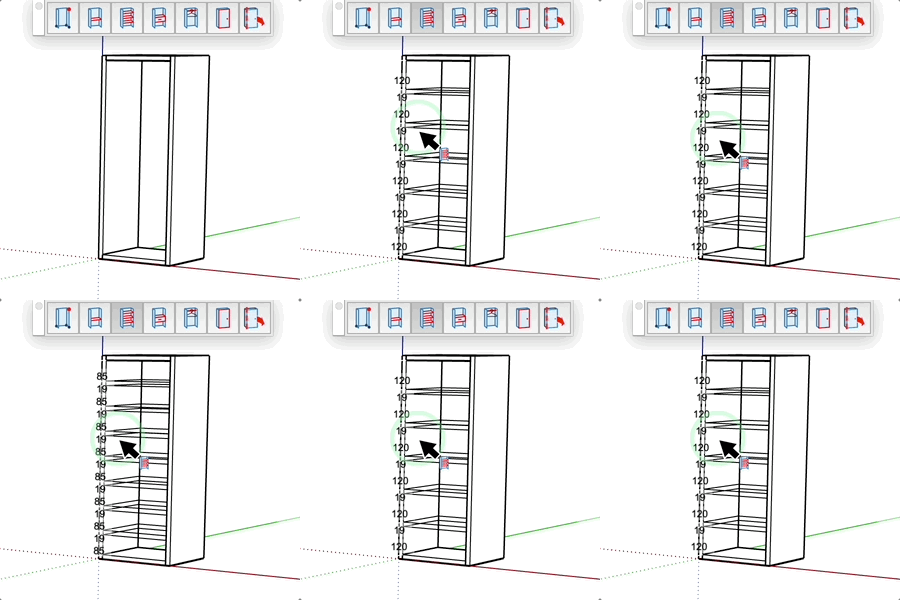
Shelves Tool
Draw multiple shelves or uprights in one click.
How it works
- Hover over a face (wall, cabinet)
- Position the cursor where you want the shelves
- Click to insert the shelves
Keys
- + = Increase the number of shelves
- - = Decrease the number of shelves
- Esc = Cancel the operation
Parameters
- Enter "number;thickness" in the input field
- Example: "5;18mm" for 5 shelves that are 18mm thick
- Shelves are distributed evenly
- The tool displays the dimensions between shelves