Vertical Panel Tool
Create back or front panels for your furniture and closets in 2 clicks.
How it works
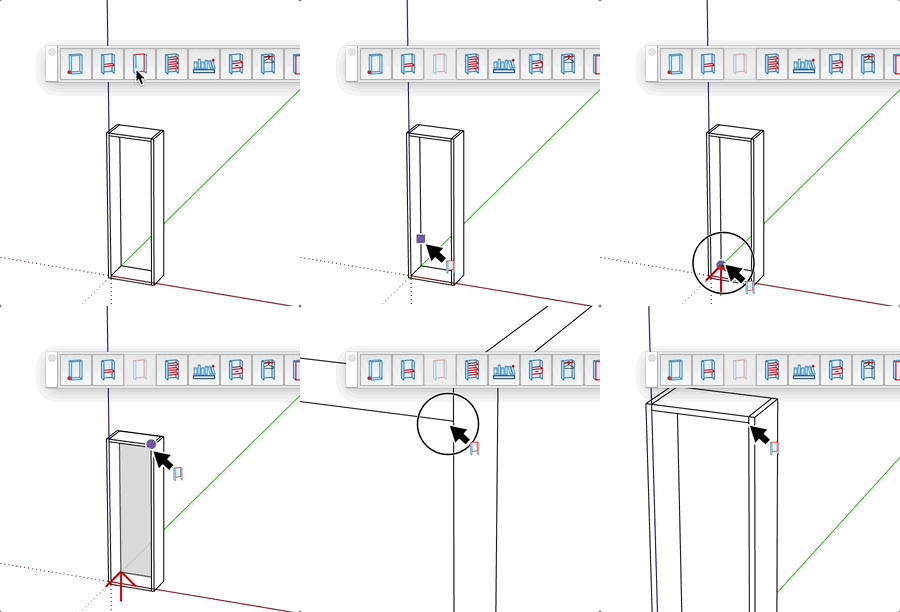
- Select insertion point (first corner)
- Option (Mac), Ctrl (PC) = switch the depth direction of the panel with the key
- Select end point (opposite corner)
- The vertical panel is created automatically
Features
- Quick creation in 2 clicks
- Automatically adapts to furniture dimensions
- Applies current material
- Configurable thickness and width
- Dynamically adjustable height
Tips
- Enter thickness before the first point to customize the panel
- You can create back or front panels depending on orientation
- Dimensions can be entered via keyboard after each point
- Ideal for quickly closing the back or front of a cabinet