Gradient
Apply a color gradient to any face in your model. Perfect for creating smooth color transitions and visual effects.
How it works
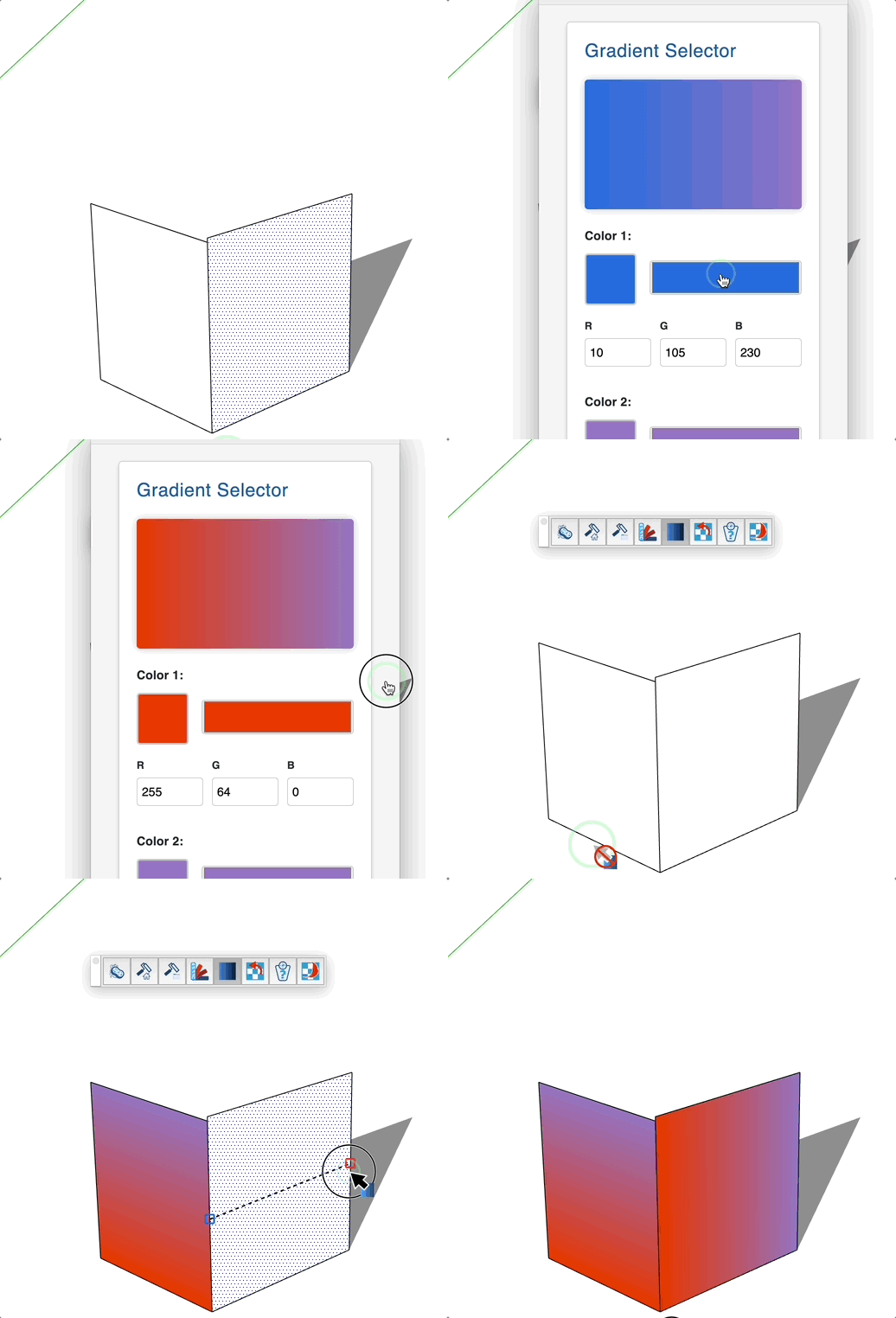
- Launch the tool - a color picker dialog will appear
- Select your first color (left side of the gradient)
- Select your second color (right side of the gradient)
- Click "Apply" to close the dialog
- Hover over a face to preview the gradient
- Click on the face to apply the gradient
Keys
- Esc = Cancel the operation
Tips
- The gradient is applied horizontally from left to right
- The tool detects which side of the face you're hovering (front or back) and applies the gradient accordingly
- You can apply gradients to both sides of a face independently
- The gradient is created as a texture material in your model