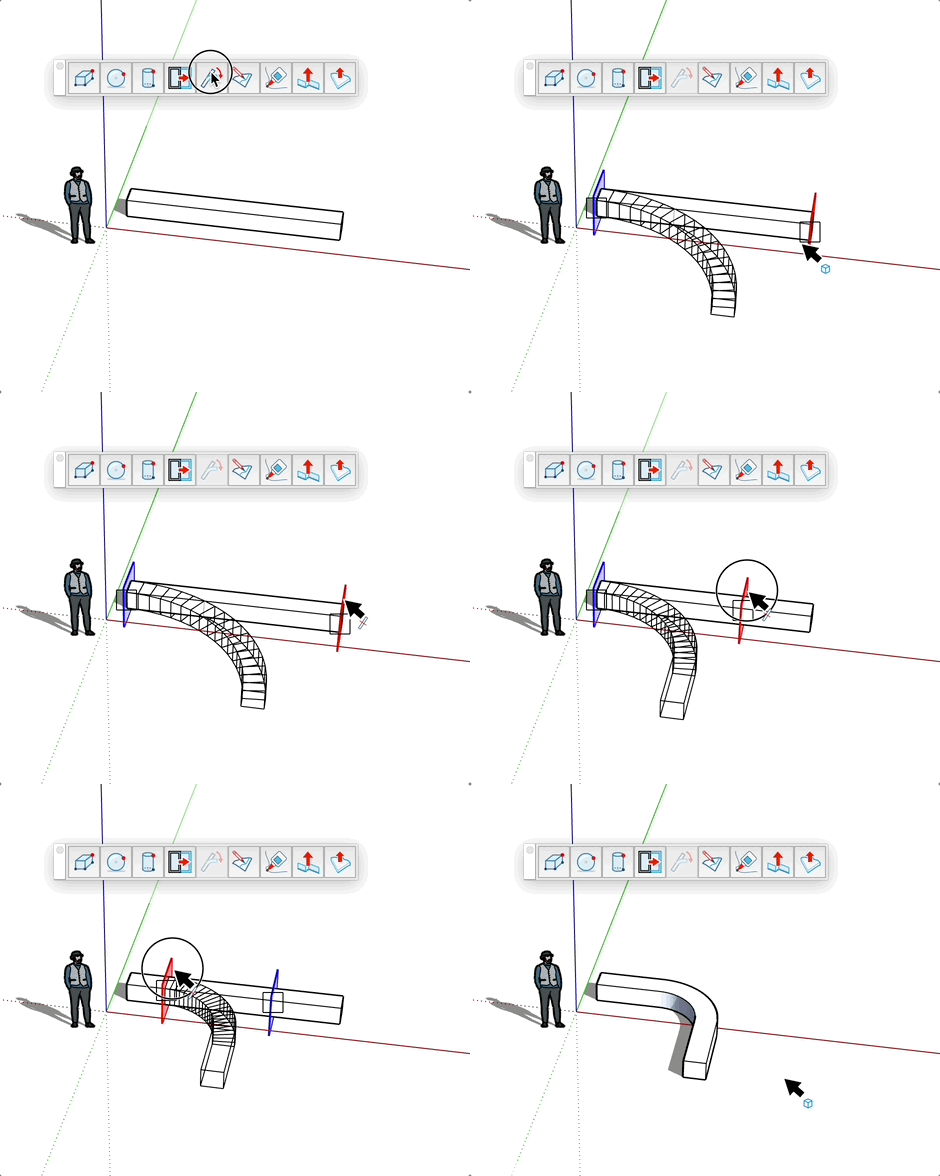
Bendator Tool
Bend or curve a component or group at a precise angle while preserving its proportions.
How to use
- Hover over a component or group
- Click on an arrow to set the bending direction
- Adjust the position of cutting planes if needed (by dragging them)
- Click elsewhere to validate and apply the deformation
Parameters
- Angle: Enter a precise value in the input field to define the curve angle
- Cutting planes: Define the limits of the area to be curved
Keys
- Ctrl (PC) or Alt (Mac) = Choose whether the twist keeps the front or back length during bending
- Escape = Cancel the operation
Tips
- A preview shows the result before validation
- You can move the cutting planes to precisely adjust the bending area
- The default angle can be modified for future operations
- Ideal for creating curved shapes from straight objects