Align
Utility

Align

Align a component from 2 faces

Video demonstration

Demonstration

Align Tool

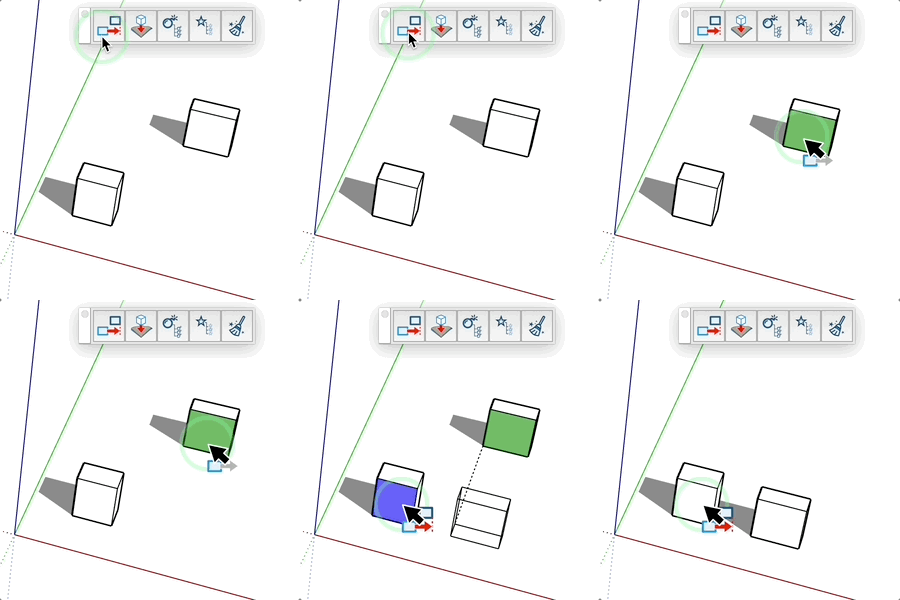
Align components using their vertical faces.

How it works

  1. Select the component(s) to align
  2. Click on a source vertical face (green)
  3. Click on a target vertical face (blue)

Keys

  • Esc = Cancel operation

Tips

  • Multiple selection possible for simultaneous alignment
  • Black preview before finalization
  • Only vertical faces can be used

Try this tool for free

AD Design Free Trial

Fill out this form to receive your free download link.

✓

Thank you for your request!

Your download link is ready. The download will start automatically.

Download Now