Wall Tool
Quickly create walls with precise dimension control and connections.
How it Works
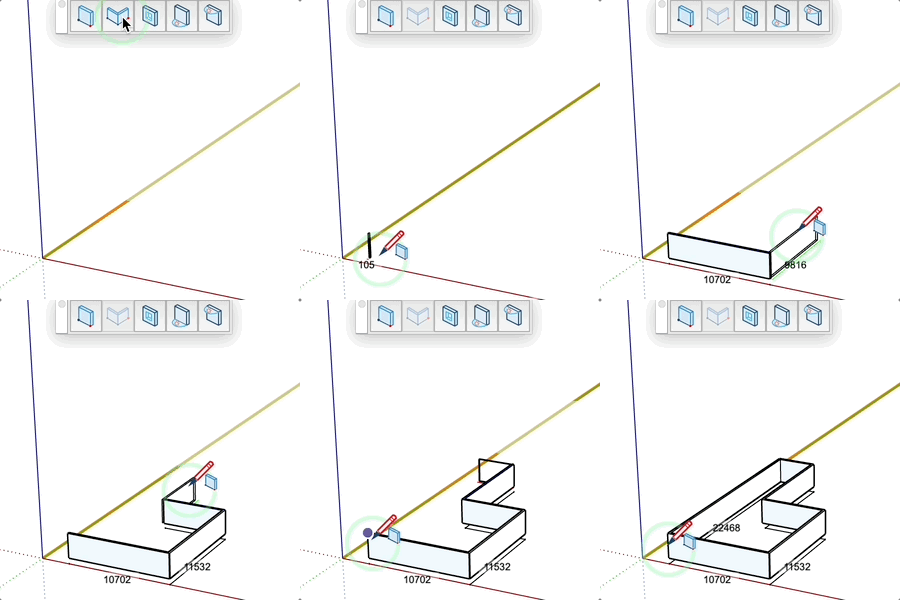
- Define the starting point of the wall
- Define the end point or enter a precise length
- Walls automatically connect to each other
Keys
- Option (Mac), Ctrl (PC) = Change wall alignment axis (left/right)
- Command(Mac), Alt(PC) = Lock walls at 90°
- Shift = Lock inference
- Angle icon = Toggle 90° angles
Parameters
- Enter "width;height" before starting to define dimensions
- Enter "length;angle" while drawing to define length and angle
- Connected mode: walls automatically join together
- Non-connected mode: each wall is independent
Tips
- Dimensions are displayed in real-time
- The tool automatically detects existing walls for connections
- Connected walls don't connect to locked walls
- Angle lock allows drawing perfectly orthogonal walls
- Walls can be modified after creation