Windows Tool
Easily insert windows, doors, and openings in your walls.
How it Works
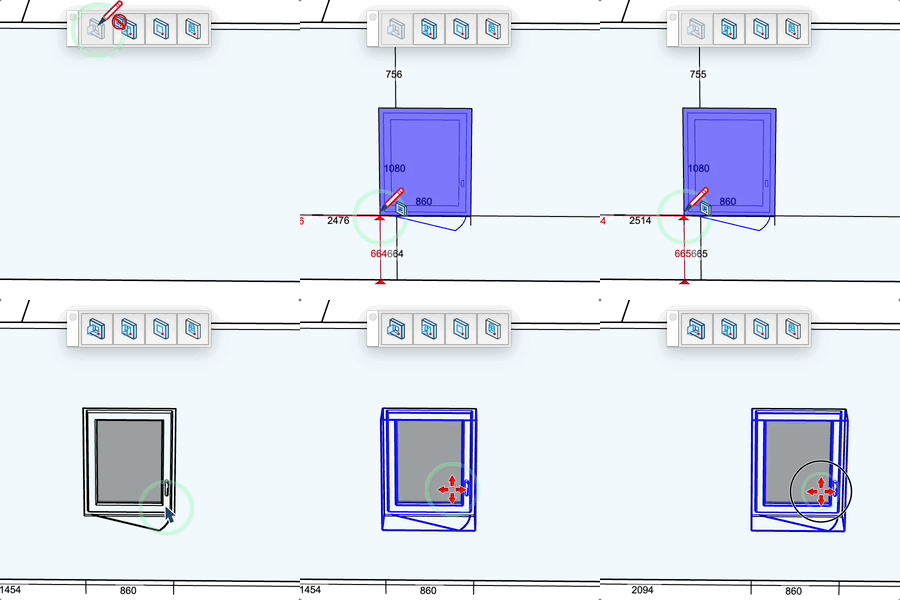
- Select a window or door type from the library
- Click on a vertical face (wall) to position
- Adjust the position relative to the wall edges
- Click to validate or replace an existing window
Keys
- Option (Mac), Ctrl (PC) = Change orientation (opening direction)
- Shift = Lock/unlock reference point
- Esc = Cancel operation
Parameters
- If you are not hovering a face, you can enter the reveal depth of the door or window
- If you are hovering a face, enter "horizontal distance;vertical distance" during insertion
- The cursor changes according to the state (insertion possible, impossible, replacement)
- With the opening tool, you can specify the opening dimensions
Tips
- Dimensions and distances are displayed in real-time
- A black dot indicates the reference corner for positioning
- A red dot indicates that the reference is locked
- The tool automatically creates the opening in the wall
- Click on an existing window to replace it