Door Tool
Create and position doors for your furniture and cabinets.
How It Works
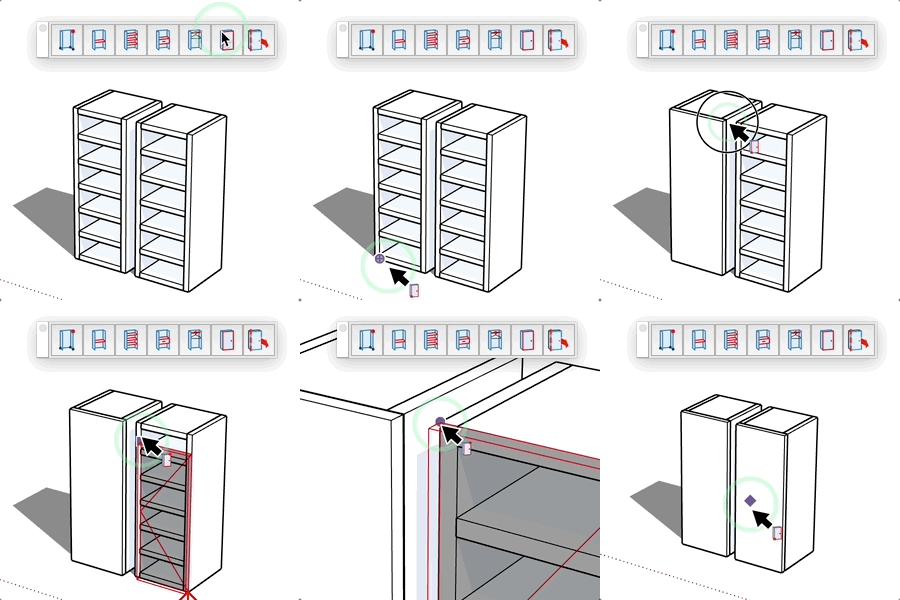
- Select the insertion point (hinge)
- Define the second point (width/orientation)
- Option (Mac), Ctrl (PC) = offset the panel in depth with the key
- The door is created automatically
Features
- Adapts to the furniture orientation
- Applies the current material
- Preview before creation
- Animation available (opening/closing)
Tips
- Enter the thickness and peripheral offset before the first point
- Click on the hinge side first
- You can enter the door dimensions after the first point
- For double doors, create them separately
- Doors remain animatable after creation