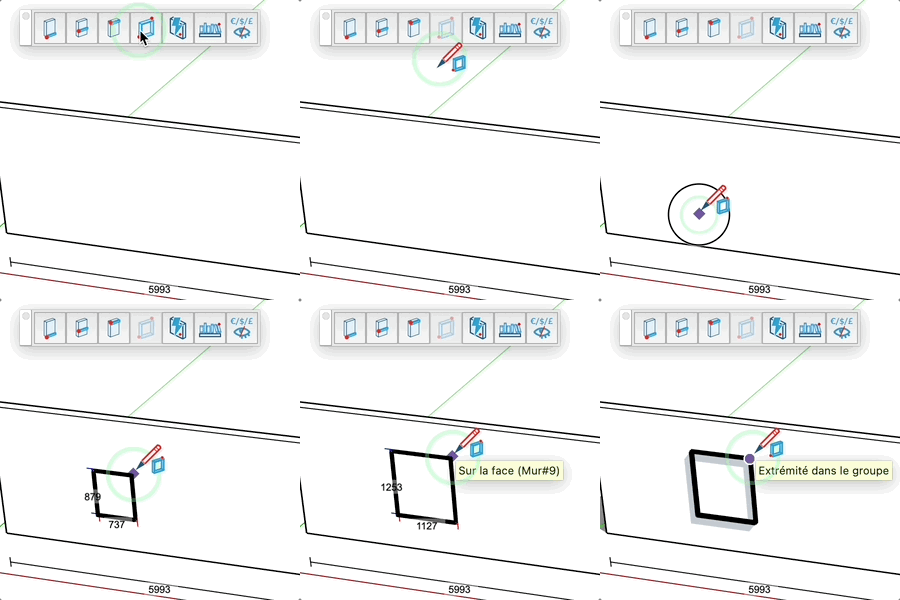
Frame Tool
Easily create frames using custom profiles.
How It Works
- Option (Mac), Ctrl (PC) = to open the frame
- Select a profile from the library
- Set the insertion point (bottom left corner)
- Set the opposite point (top right corner)
- The frame is created automatically
Parameters
- Enter "width;height" for precise dimensions
- The selected profile is saved for future use
- Real-time preview of dimensions
Tips
- Click the icon in the top right to change profiles
- The profile automatically adapts to the corners of the frame
- Perfect for creating picture frames, borders, and moldings
- Compatible with all profiles in the library