Floor and Ceiling Tools
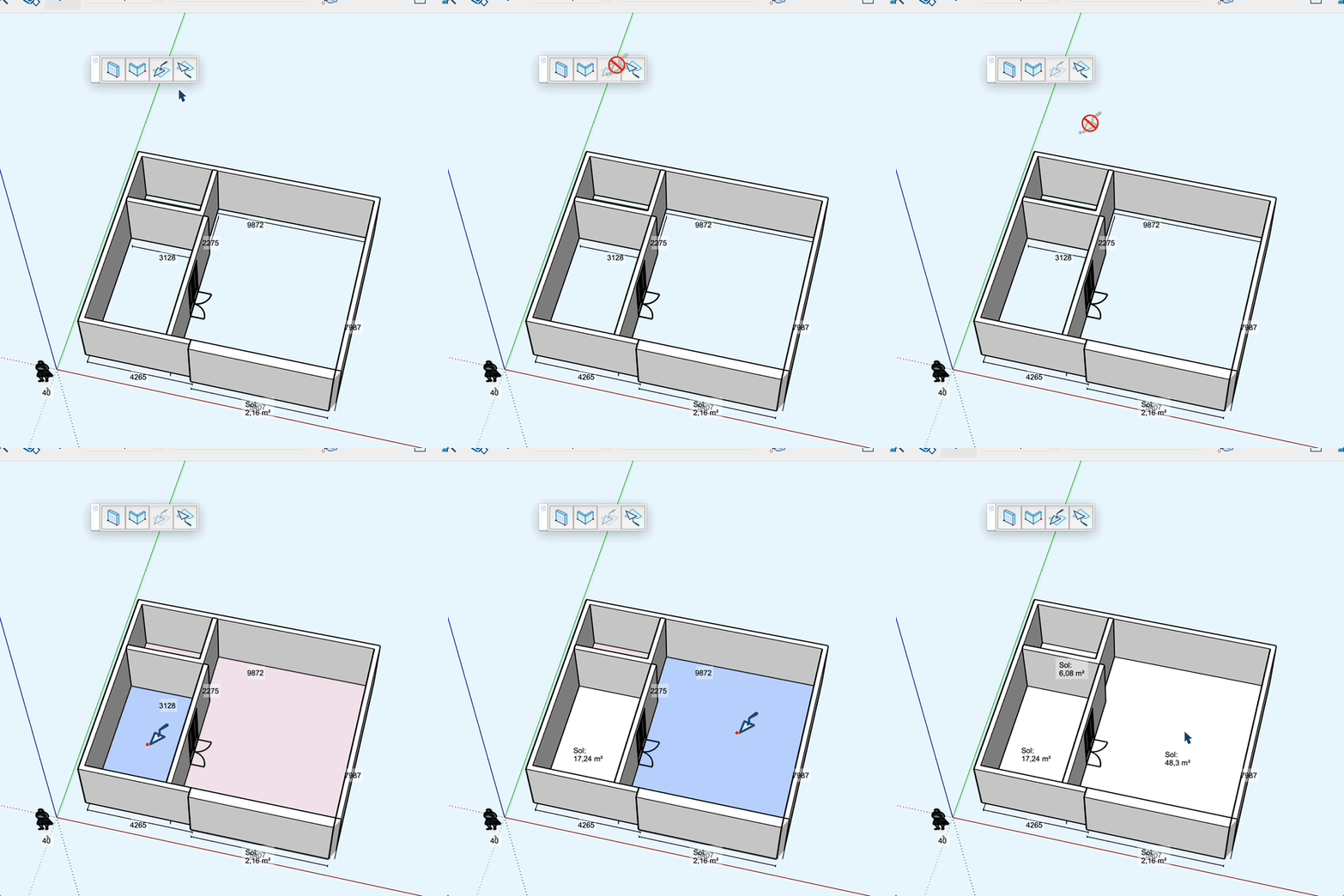
Automatic generation of floors and ceilings from existing walls.
How It Works
- First draw the walls of your building
- You can preselect walls to process only a portion; processing will be faster
- Activate the "Floor" or "Ceiling" tool
- Detected surfaces are displayed in semi-transparent pink
- Hover over a surface to see it in blue
- Type a name in the VCB field before clicking to name the surface
- Click on a pink surface to create it individually
- Double-click anywhere to create all surfaces at once
Tips
- Floors are created at the lowest level of the walls
- Ceilings are created at the highest level of the walls
- Existing surfaces can be replaced by clicking on them
- Double-click erases and recreates all surfaces of the selected type
- If no surface is detected, the tool displays a message and closes