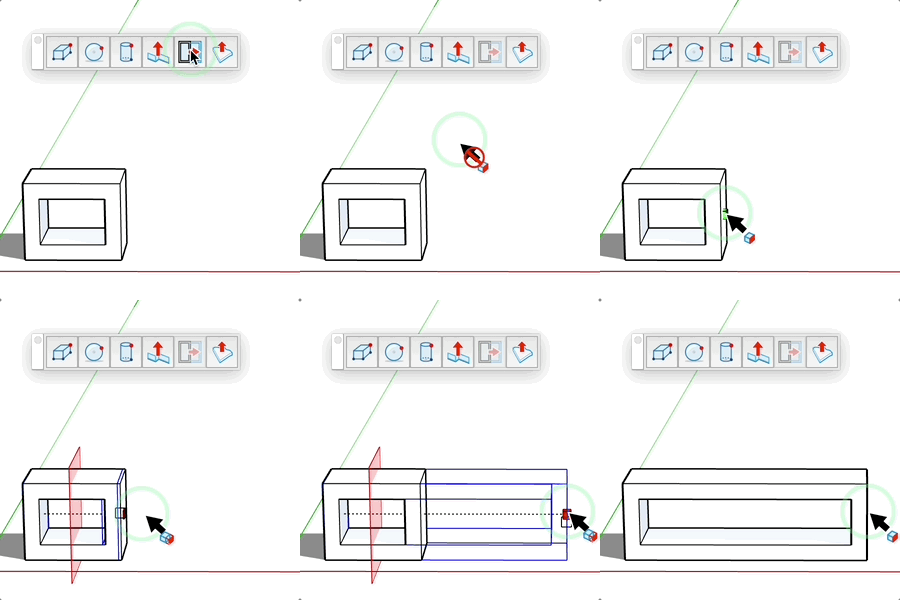
Elongator Tool
Extend a component from a section plane while preserving its proportions.
How It Works
- Select a component or group
- Click on a face to define the extension plane
- Move the mouse to adjust the length
- Click to confirm
Keyboard Controls
- Ctrl = Toggle between "from edge" and "from center" modes
- Alt = Toggle between 1 plane and 2 plane mode
- Esc = Cancel the operation
Tips
- Enter a precise value in the input field
- A wireframe preview shows the result
- To change mode: Menu on Mac, Ctrl on PC:
- "From edge" mode: stretches in one direction
- "From center" mode: stretches in both directions
- Preserves proportions unlike simple scaling