Drop Tool
Drop components or groups onto surfaces.
How It Works
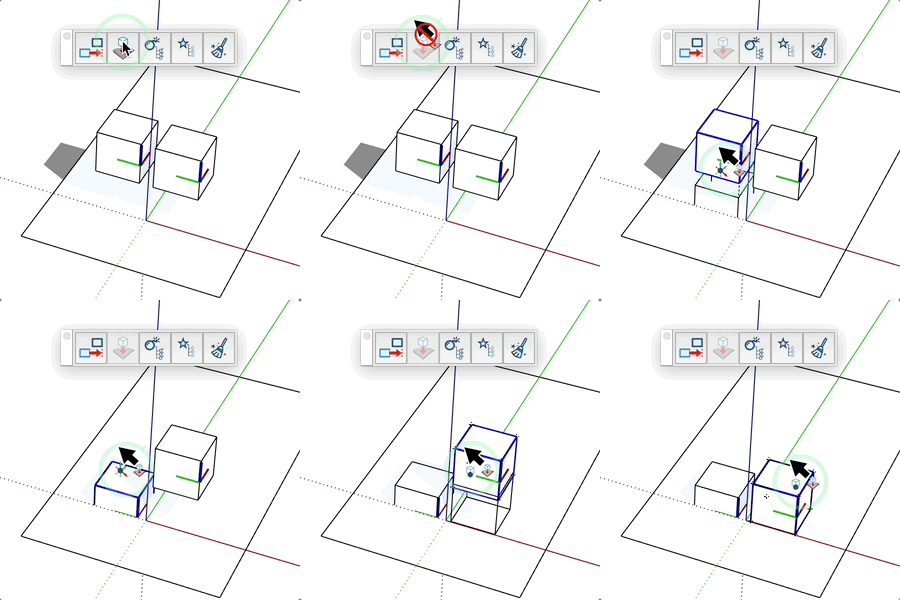
- Hover over a component or group
- A wireframe preview shows the position you'll get when clicking
- The Ctrl key on PC or Cmd on Mac allows you to position the object either from its origin or from its lowest point
- Click to drop the object on the surface
Visual Feedback
- Dotted line showing the intersection point
- Wireframe preview of the object
- The selected object is highlighted
Tips
- Works only with components and groups
- The object is automatically aligned to the surface
- Use Esc to cancel the operation