Cylinder Tool
Quickly create parametric cylinders with a customizable number of edges.
How to Use
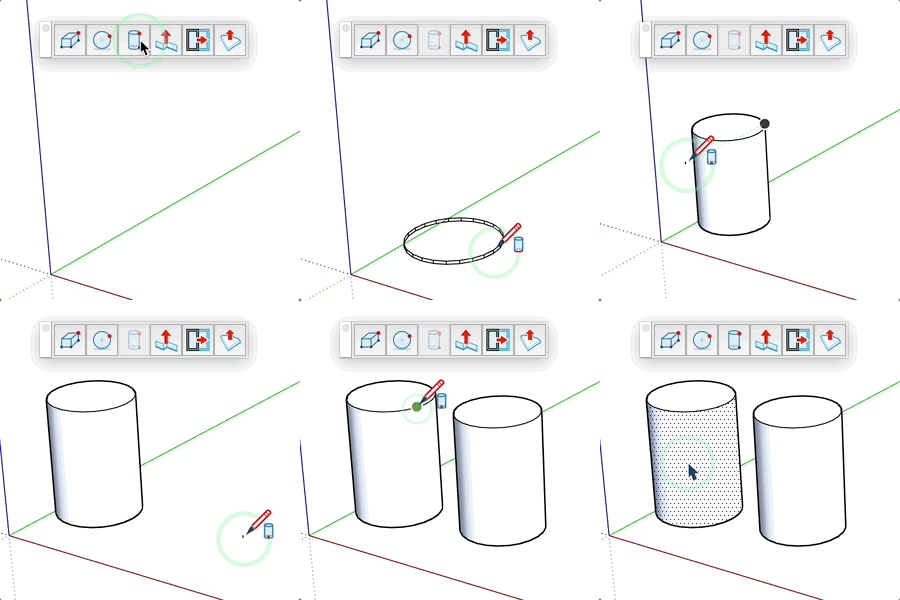
- Activate the tool
- Enter the desired number of edges (optional)
- Click to set the insertion point (center of the base)
- Move the mouse horizontally to define the radius
- Click to validate the radius
- Move the mouse vertically to define the height
- Click to validate the height and create the cylinder
Adjustable Parameters
- Number of edges: defines the precision of the cylinder (minimum 3)
- Radius: distance from the center to the edge of the cylinder
- Height: vertical elevation of the cylinder
Tips
- You can enter precise values in the VCB at each step
- Hold the Ctrl key to create a component instead of a group
- The tool remembers the number of edges previously used
- A higher number of edges creates a smoother cylinder but increases model complexity