Box Tool
Quickly create 3D boxes by defining width, depth, and height.
How it works
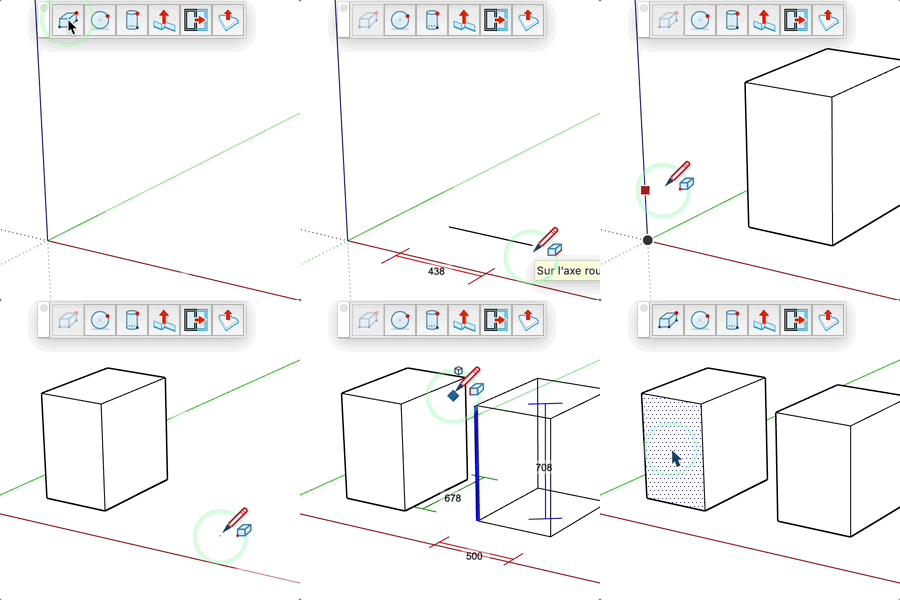
- Click to set the insertion point
- Define the width (red line)
- Define the depth (green line)
- Define the height (blue line)
Keys
- Ctrl = Toggle group creation
- Esc = Cancel the operation
Tips
- Enter a precise value at each step
- The active material is applied to the box
- Dimensions are displayed in real time
- Height always follows the Z axis